 By Ibtisam Virk
A data asset inventory is a list of every piece of data your company owns. It records what the data is, where it is kept, who is in charge of it, how private it is, and which laws apply to it. Good habits include giving each data item a named owner, using software to find data automatically, rating data by how sensitive it is, checking the list every three months, and using it in your daily work not just at audit time.
Imagine you run a clothing shop. You know every item on every shelf. You know what is selling. You know what needs restocking. If something goes missing, you notice right away.
Now imagine running that same shop with no idea what is on the shelves. You cannot protect your stock. You cannot help customers. And if someone asks you to prove what you own, you have nothing to show them.
That second scenario is how most companies handle their data. They have a lot of it. But they do not know exactly what it is, where it lives, or who can see it.
That gap is where trouble begins.
Companies that do not track their data get hit with big fines. They fail security checks. They lose customer trust. And when something goes wrong, they cannot even explain what happened.
This guide will explain what a data asset inventory best practices case studies and why it matters so much right now, and exactly how to build one that works. You will also read real stories of companies that got it right and companies that paid a heavy price for getting it wrong.
What is a data asset inventory?

A data asset inventory is an organized list of every important piece of data your company uses or stores. Think of it like a card catalogue at a library. Each book has its own card. That card tells you the title, the author, the subject, and where to find it on the shelf.
Your data inventory does the same job for digital information. Each piece of data gets its own record. That record tells you what the data is, where it is stored, who looks after it, and what rules apply to it.
What counts as a data asset inventory best practices case studies?
A data asset is any digital file, database, or record that has value for your business or that must follow a privacy law. Here are the most common types:
• Customer records such as names, email addresses, purchase history, and payment details
• Employee files including pay records, job reviews, and login credentials
• Financial records like invoices, bank transactions, and accounting data
• Business operation data such as supply chain records and production logs
• Company secrets including product designs, formulas, and software code
• Partner and supplier data such as contracts, shared files, and outside data feeds
• Website and app data including visitor logs and ad tracking files
You do not need to list every single file on every computer. The goal is to track the data that matters most. Focus on data that has legal rules attached, data your business depends on daily, and data that could cause real harm if it was ever stolen or lost.
What should each record in your list include?
| Field Name | What It Means | Why You Need It |
| Asset name | A short, clear name for this piece of data | Makes your list easy to search when you need a fast answer |
| Data type | What kind of data it is personal, financial, health, and so on | Tells you right away which privacy laws apply |
| Where it lives | Which system, app, cloud folder or server holds this data | You have to find data fast during a security problem or an audit |
| Named owner | The specific person responsible a real first and last name | Vague ownership means nobody actually feels responsible for it |
| Who can access it | Which people or teams are allowed to read, edit, or share this data | Helps you spot data that too many people can reach |
| Sensitivity level | Public, internal only, confidential, or restricted | Tells your security team how carefully to protect this item |
| How long to keep it | The date when this data should be deleted | Privacy laws like GDPR and HIPAA require you to set a deletion schedule |
| Laws that apply | Which regulations govern this data GDPR, HIPAA, CCPA, and others | Shows you the risk level and what happens if you get it wrong |
| Last checked date | When a real person last confirmed this record is still correct | If nobody checked recently, assume the record is already out of date |
| Data trail | Where this data came from and where it goes next | Essential for understanding the full damage if something gets stolen |
Why 2026 made this even more urgent
Privacy rules got tighter in 2026. Two more US states New Hampshire and Maryland passed new data privacy laws. HIPAA, the US health data law, is going through its biggest changes in 20 years. The new rules explicitly ask healthcare companies to maintain a proper data inventory.
In Europe, things are just as strict. Europe’s GDPR law requires every company that handles personal data from European residents to keep a formal list of all data processing activities. If your company does not have this list, that alone is considered a violation. The fine for that single failure can reach 10 million euros or 2 percent of your company’s total global revenue.
By January 2026, total GDPR fines across Europe had reached about 5.88 billion euros. A 2025 survey found that 49 out of every 100 companies experienced a data breach in the previous year. In most cases, the main problem was simple: the company did not know where its data was stored.
There is also a business performance side to this. A 2025 Forrester research report found that companies with organized data inventories earned a 355 percent return on that investment over three years. They made decisions faster, handled problems more quickly, and wasted less time searching for data they should have been able to find in seconds.
And then there is the AI topic. Thousands of companies are now feeding their data into AI tools and machine learning programs. If you do not know what data you have, you cannot control what goes into those AI systems. That creates legal risk. It creates bad AI results. And it creates security gaps you may not discover until a serious problem forces you to look.
Something most tech guides skip: AI does not automatically make data governance easier. Yes, it helps with scanning and finding data. But AI also creates new data very quickly. Your tracking habits have to keep up with the speed at which AI generates and uses information.
10 habits that actually work in real companies
These are not guesses or theories. They come from what real data teams do when they want their inventory to keep working long after the initial excitement wears off.
1. Start with a small piece and get it right
The fastest way to kill a data inventory project is to try to track everything at once. Teams get overwhelmed. Records get half-finished. Then the project quietly dies and nobody mentions it again.
Start with just one area. Pick your riskiest data first things like customer personal details or medical records. Get that small section fully working within four to six weeks. Then grow from there, one step at a time. A small list that is correct and trusted is worth more than a huge list that nobody believes.
2. Give every data item a real person as its owner not a team name
This is one of the most common mistakes. Companies write things like ‘owned by the IT team’ or ‘managed by the data department.’ That looks organized. It is not. Nobody in a team feels personally responsible for a group assignment.
Every item in your inventory needs a real person’s name attached to it. A first name and a last name. Someone who can be called when a question comes up. When that person leaves the company, ownership must be formally transferred to their replacement. If responsibility is blurry, records stop getting updated and the whole list slowly falls apart.
3. Use software to find your data do not rely on people filling out forms
Asking your staff to tell you what data they manage sounds simple. In practice, it does not work well. People forget old systems. They do not count tools they downloaded without IT approval. The gaps are always bigger than anyone expects.
Tools like Varonis, Spirion, and BigID can scan your computer systems automatically. They look for patterns that match sensitive data things that look like credit card numbers, social security numbers, or medical records. Use software to do the searching. Use people to check the results and make decisions about ownership and risk level. Never trust a self-reporting survey alone.
4. Give each piece of data a sensitivity rating
A customer’s first name is not the same risk level as their bank account number. A company memo is not the same risk level as a patient’s medical history. Every item in your list needs a clear label: public, internal only, confidential, or restricted.
That label then drives how your security team protects the data. Restricted data might need full encryption, strict controls over who can access it, and a formal approval process before anyone can share it outside the company. Public data needs almost none of that. Without these labels, you end up protecting everything the same way — which wastes time and money or you fail to protect the things that matter most.
5. Map where each piece of data travels
Knowing where data is stored is only the first step. You also need to know where it came from and where it goes. This path is called data lineage. It shows you which system created the data, what happened to it along the way, and which reports, tools, or AI programs use it at the end of the journey.
Without this trail, you cannot know how serious a breach really is. You cannot safely change a system without accidentally breaking something downstream. And you cannot prove to a privacy regulator how personal data moves through your company. Lineage is not optional. It is the map that makes everything else make sense.
6. Check the list every three months without fail
A data list that was accurate eighteen months ago can be dangerously wrong today. New software gets added. People move data to new locations. Teams grow or shrink. Systems get replaced. Your data world is never standing still.
Put a rule in place: every three months, every named owner confirms their records are still correct. Also add a rule that any time a new system is introduced, a new entry must be added to the inventory before that system goes live. Companies that follow this never need emergency catch up sessions. Companies that skip it eventually face a very stressful few weeks before a major audit.
7. Use the inventory in everyday work not just during audits
Here is the pattern that kills most data inventories after they are built. The team finishes the list. It gets submitted to the compliance department. It gets stored in a shared folder. Nobody looks at it again until the next audit. By then it is twelve months out of date and reflects a company that no longer quite exists.
Inventories that stay accurate are used all the time. Security teams check them when something suspicious happens. Compliance teams use them when answering a regulator’s question. Engineers look them up before making a system change. IT reviews them before approving new software purchases. The more often people use the list, the more errors get spotted and fixed in real time without needing a major overhaul.
8. Connect data across different departments
Large companies store data in many separate places controlled by different teams. Marketing has its own customer database. Sales has another one. Finance has a third. The legal team has its own version. None of these are fully aligned, and nobody has a shared picture of the whole landscape.
The solution is not to merge all these databases into one giant system. The answer is to bring them all into a single inventory catalog with consistent labels and agreed field names. Everyone describes their data the same way. ETL tools and data catalog platforms help technically. But the real breakthrough is getting department leaders to agree on a shared way of describing data. Without that agreement, every team is still working in the dark about what the others hold.
9. Connect your data list to your EU privacy record
If your company handles personal data from people living in Europe, GDPR requires you to keep a formal record called a ROPA. This stands for Record of Processing Activities. It documents every activity where you handle personal data what the data is, why you use it, how long you keep it, and who else can access it.
Many companies keep their ROPA as a completely separate document from their data inventory. This creates two lists that say slightly different things and drift further apart every month. A smarter approach: design your data inventory so that the ROPA is just an automatic output of it. Every personal data item in your inventory, with its purpose and legal basis filled in, feeds directly into the ROPA. When the inventory is updated, the ROPA updates too. One piece of work. Two documents always in sync.
10. Pick a tool that fits where you are right now
A well-organized spreadsheet works fine for a small inventory under 200 items. Past that number, spreadsheets start to cause problems. Version control becomes messy. Nobody has clear access controls. Reporting takes hours of manual work.
Enterprise platforms like Collibra, Alation, and OvalEdge handle much larger inventories with built-in scanning, reporting, and access management. But these tools only deliver value if your team already has good habits. A team that has not yet assigned named owners or set sensitivity levels will not get value from an expensive platform. They will just have a more costly version of the same abandoned list. Start with the tool your team will actually use every week. Upgrade only when your habits are strong enough to make use of more powerful features.
How to build a data inventory from nothing A 7-step plan
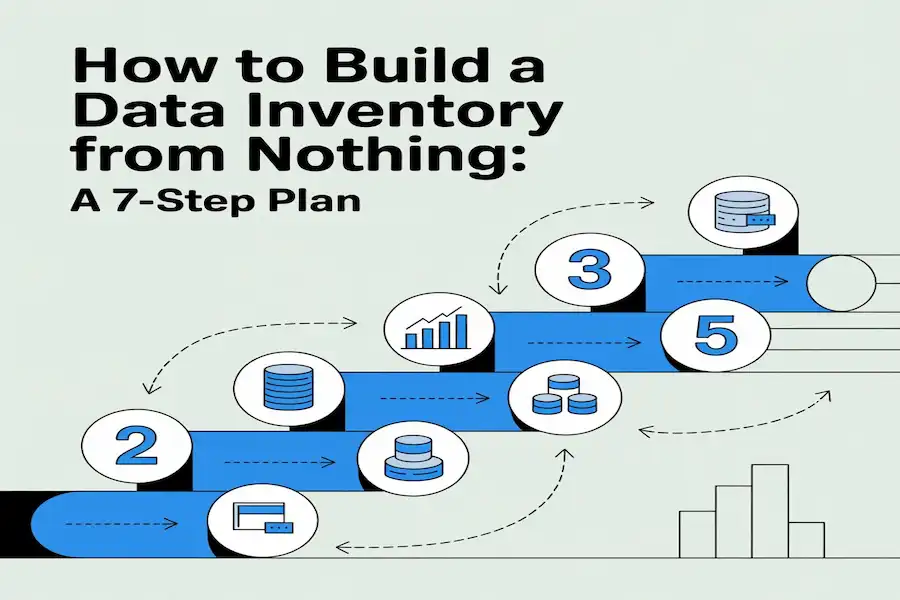
Here is a practical plan that works for small teams and large companies alike. The timelines below assume a focused team working on this regularly. If your team is doing this part-time, expect these windows to roughly double.
| Step | What You Do | What You End Up With | How Long It Takes |
| 1 — Pick your focus | Choose which data, systems, or laws to start with. Name one person to lead this and one senior person to support it. | A written scope and a list of who is helping | 1 to 2 weeks |
| 2 — Find the data | Use automated scanning tools and conversations with team leaders to locate data. Start with your highest-risk items. | A raw list of data assets and their locations | 2 to 4 weeks |
| 3 — Sort and label | Give each item a sensitivity label. Note which privacy laws apply to each one. | A sorted, labelled asset catalog | 2 to 4 weeks |
| 4 — Write the records | Fill in every field for each item: owner name, who can access it, how long to keep it, where it flows, and when it was last checked. | A fully documented inventory | 4 to 8 weeks |
| 5 — Get owner approval | Send each record to its named owner. Ask them to confirm everything is correct. Fix any problems. | An approved and verified inventory | 2 weeks |
| 6 — Put it to work | Link the inventory to your change management process, access review steps, and compliance reporting. | A live tool used in daily operations | Ongoing |
| 7 — Keep it fresh | Every three months, owners review their records. Every new system gets an entry before it launches. | A continuously accurate inventory | Ongoing |
Six real stories including the ones most guides leave out
Guides like this one usually only share the success stories. That is because success stories are comfortable. Failure stories are where the most important lessons live. So here are both.
Story 1: A financial company finally gets control of 22,000 data feeds
A large financial company had a serious problem hiding in plain sight. It was receiving 22,000 separate data feeds from 97 different outside companies. Nobody knew which internal teams were using which feeds. Nobody knew what rules or contract restrictions applied to each one. Nobody knew which regulatory disclosures were required.
The company built a focused registry just for these external data feeds. They mapped 127 internal services to the feeds they consumed. They added automated checks to flag any rule violations in real time. For the first time, the compliance, legal, and analytics teams all had the same accurate picture.
Lesson: You cannot follow vendor contracts or meet regulatory rules for data you are not even tracking. A focused, purpose-built inventory not a broad general one solved a problem that had been quietly growing for years.
Story 2: Panasonic stops breaking things
Panasonic had data flowing through dozens of different systems. Nobody had a reliable map of where it all came from or where it went. When a report showed wrong numbers, engineers spent days hunting for the source. When someone wanted to change a system, they had no way to predict what other tools or dashboards would stop working as a result.
The company built a data lineage map as part of a bigger inventory project. Every dataset got a record showing its source, how it was changed along the way, and which tools depended on it at the end. After that, tracing an error dropped from days to a few hours. Planning a system change became a structured exercise instead of a guessing game.
Lesson: Mapping where data travels is not a luxury. Without it, every engineering change is a risk and every error investigation is a detective mystery.
Story 3: Uber pays 290 million euros
In August 2024, the Dutch data protection authority fined Uber 290 million euros. The reason was serious. Uber had been sending personal data about European drivers to its US offices without the right legal protections. The company had stopped using the required legal agreements back in 2021. It kept sending the data for more than two years without fixing the problem.
A working data inventory would have caught this. If Uber had tracked where personal data flows, where it is stored, and what legal basis covers each transfer, the missing agreements would have appeared as a gap in a routine check. Instead they appeared as a 290 million euro fine from a government regulator.
Story 4: Meta pays 251 million euros after a breach
In December 2025, the Irish Data Protection Commission fined Meta 251 million euros for a data breach that happened back in 2018. The breach exposed the personal data of about 29 million Facebook users. One of the key findings was that Meta could not fully document which data was affected or exactly where it was stored. The breach report they sent to regulators was incomplete.
Incomplete breach reports happen when companies do not have a clear picture of their own data landscape. You cannot describe what you cannot see. Both the Uber and Meta cases lead back to the same root problem: organizations that could not accurately explain how their own data moved and where it lived.
Total GDPR fines reached about 5.88 billion euros by early 2025. Not maintaining a proper record of data processing activities is itself a violation and fines for it can reach 10 million euros or 2 percent of global annual revenue.
Story 5: A healthcare provider cuts audit preparation
A mid-size healthcare company spent three to four weeks preparing for every HIPAA audit. Each time, staff had to manually search through all their systems to find where health records were stored, who had looked at them, and whether the right security measures were in place. It was slow, stressful, and expensive and they repeated it every single audit cycle.
The company built a data inventory built around HIPAA’s specific requirements. Every health data record got a listing with its storage location, encryption status, access controls, backup details, and a named security officer. All the required evidence was kept up to date continuously instead of being scrambled together in the weeks before an audit.
Audit preparation time dropped from roughly three weeks to under two days. The company calculated they saved about 180,000 dollars per year in staff time alone. They also started catching and fixing data gaps during their quarterly reviews rather than having auditors find them first.
Lesson: In healthcare, keeping a proper data inventory costs far less than rushing to prepare for audits without one especially when you face several audits per year.
Story 6: City governments build one inventory
City governments face a challenge that is different from the private sector. They must be transparent with the public sharing information about services, spending, and decisions. At the same time they must protect private information and follow strict security rules.
Several US cities worked with a program called GovEx to build inventories that handled both goals at once. The internal side of the inventory tracked sensitivity levels, access rules, legal requirements, and how long to keep each data item. The public-facing side showed residents what data the city collected and how to access it.
Cities that completed this process found duplicate data collection across departments and stopped spending money on it. They answered public records requests 40 percent faster than before. And by knowing what data they already had, they made smarter decisions about what new data was actually worth collecting.
Five mistakes that end data inventory projects early
| The Mistake | Why It Happens | What to Do Instead |
| Trying to list everything at once | Teams think a bigger scope means a better result. It means a slower, messier collapse. | Pick the riskiest data first. Get that section working well. Then expand one step at a time. |
| Listing a team as the owner instead of a person | It feels more organized. But teams do not feel personal responsibility. Nobody acts. | Name a real individual. Make sure that person knows they are accountable and will be asked about their records. |
| Asking staff to self-report their data | Surveys feel thorough. They produce huge gaps because people forget or avoid the task. | Use automated scanning tools to find data first. Use people only to check and label the results. |
| Building the list and never touching it again | Teams treat it as a finished project. It becomes a historical document that reflects the past. | Connect it to your quarterly review cycle and your change management process so it updates as your company changes. |
| Buying enterprise software before building good habits | Technology feels like a concrete solution. It looks decisive. Vendors are persuasive. | Establish named owners and sensitivity labels first. Then pick a tool that fits your current level. Upgrade later when your team is ready. |
Ten tools compared with honest trade-offs
Here is a straight look at ten commonly used tools. No sales pitch. Just what each one does well and where it falls short.
| Tool | Best Suited For | Honest Trade-offs |
| Collibra | Large companies managing complex, multi-department data environments | Expensive. Long setup time. Requires a team that already has good governance habits in place. |
| Alation | Analytics teams that need to find and understand data quickly | Very good at cataloging and discovery. Governance workflow features are less developed than some rivals. |
| OvalEdge | Mid-size companies that want solid results without a huge price tag | Named a Niche Player by Gartner in 2025. Good customer support. Smaller network of integration partners. |
| IBM Watson Knowledge Catalog | Companies already deeply embedded in the IBM cloud ecosystem | Extremely capable within IBM’s system. If you are not already an IBM customer, the setup cost is very hard to justify. |
| Varonis | Teams focused on finding out who has access to sensitive files and emails | Strong at access monitoring and security threat detection. Not a complete governance catalog on its own. |
| Spirion | Healthcare and finance teams looking for hidden sensitive data in messy files | Best in class at finding personal, health, and payment data buried in unstructured documents. Needs a broader platform alongside it. |
| OneTrust | Building privacy programs, GDPR documentation, and consent management | Excellent for privacy compliance. Less useful for technical data lineage and engineering-focused governance work. |
| BigID | Organizations with large volumes of personal data needing automated classification | Strong AI-driven approach to finding and labeling data. Still maturing compared to older, more established competitors. |
| Airtable or Notion | Small teams with fewer than 200 data items and tight budgets | Easy to use and low cost to start. Falls apart quickly at larger scale. No automated scanning or ROPA generation. |
| Excel or Google Sheets | Teams just starting out with under 100 data items | Works surprisingly well with strict discipline. JP Morgan’s 2012 trading loss was partly caused by spreadsheet formula errors that nobody noticed. Without discipline, they compound silently. |
FAQS About Data Asset Inventory Best Practices Case Studies
What is the difference between a data inventory and a data catalog?
A data catalog is mainly a search tool. It helps analysts and engineers find data and understand what it means. A data inventory is a governance and compliance tool. It focuses on ownership, sensitivity, legal rules, and access controls.
How often should we update our data inventory?
At minimum, update it every three months. On top of that, update it any time you add a new system, move data somewhere new, change a supplier relationship, or discover unexpected data during a security review
Which laws actually require companies to have a data inventory?
Europe’s GDPR requires a formal Record of Processing Activities. That is a documented inventory of every activity where you handle personal data. HIPAA’s 2025 proposed updates explicitly ask covered healthcare organizations to maintain data inventories. PCI-DSS requires companies to document where payment card data is stored and how it flows.
Before you close this guide
Building a data inventory is not the most exciting work. It takes patience. It is never fully finished. And it requires consistent attention even when more urgent things keep pulling your focus away.
So here is the honest reason to do it anyway.
The company that does not know where its customer data lives cannot protect it when something goes wrong. The healthcare provider without an inventory spends three panicked weeks before every audit. The business that cannot describe its own data flows cannot explain itself to a regulator and pays for that inability in fines that should never have happened.
The companies that handle this well are not the ones with the fanciest tools. They are the ones that made the inventory part of their regular work. They use it every week. They give real people real responsibility for keeping it accurate. When a breach happens or an auditor calls, they have answers ready in hours not weeks.
Pick one area. Pick your most sensitive data. Find one person to own it. Start a list. Get that small section right before you think about expanding. The goal is not a perfect inventory. The goal is a working one that helps your team every single day.
Key points to remember
• A data asset inventory best practices case studies is a list of all your important data assets what they are, where they live, who owns them, and which laws apply.
• Between 60 and 80 percent of data governance programs fail. The reason is almost never the technology. It is almost always unclear ownership and inconsistent habits.
• Always name a real person as the owner of each item not a team name. Team ownership creates no real accountability.
• Uber paid 290 million euros and Meta paid 251 million euros in GDPR fines, both because they could not accurately describe their own data flows.
• A healthcare company saved 180,000 dollars per year in audit preparation time after building a proper data inventory.
• Build your EU privacy record as an automatic output of your data inventory not as a separate document that drifts out of sync.
• Make your inventory part of everyday work. An inventory only opened for audits will always be wrong at audit time.